


Key Takeaways
- DNS translates domain names into IP addresses so computers can communicate.
- It plays a crucial role in making the internet user-friendly.
- DNS has a hierarchical structure with root, TLD, and authoritative servers.
- Caching in DNS helps speed up web browsing by storing recent lookups.
- Security features like DNSSEC help protect against threats like DNS spoofing.
Understanding the Basics of DNS

What Is DNS and Why Is It Important?
Imagine you’re trying to call a friend, but instead of their name, you have to memorize their long, complicated phone number. That’s what the internet would feel like without DNS (Domain Name System). DNS works like the internet’s phonebook, translating easy-to-remember domain names (like websnoogie.com) into the numerical IP addresses that computers use to talk to each other. Without it, browsing the web would be a nightmare of numbers.How DNS Translates Domain Names to IP Addresses
Here’s how it works in a nutshell:- You type a domain name into your browser.
- Your computer asks a DNS server for the matching IP address.
- The DNS server finds the answer and sends it back.
- Your browser uses the IP address to load the website.
The Role of DNS in Everyday Internet Use
DNS isn’t just for websites. It’s also used for services like email, video streaming, and even apps on your phone. Think of it as the backbone of almost everything you do online. Whether you’re checking your email or using a website monitoring tool to track performance, DNS is quietly doing its job to make sure everything runs smoothly.Without DNS, the internet as we know it simply wouldn’t work. It’s the invisible helper that keeps everything connected and running efficiently.
The Structure of the Domain Name System

Hierarchical Organization of DNS
The DNS is built like a massive tree, where each branch represents a smaller section of the system. At the very top, you’ve got the “root” zone, which is like the starting point for all domain lookups. From there, it splits into Top-Level Domains (TLDs) like.com, .org, or even country-specific ones like .us. Beneath that, you’ve got subdomains and so on, working their way down. This design keeps things organized and prevents chaos when managing billions of domain names.Key Components: Root, TLD, and Authoritative Servers
Here’s a quick breakdown of the key pieces:- Root Servers: These are the backbone of DNS, guiding queries to the right TLD servers.
- TLD Servers: These handle requests for specific domain extensions (like
.com). - Authoritative Servers: These are the final stop, holding the exact information for a domain (like its IP address).
How DNS Zones and Subdomains Work
Zones are like slices of the DNS tree that someone is responsible for managing. For example, if you ownexample.com, you’re in charge of that zone and can create subdomains like blog.example.com or shop.example.com. Each subdomain can even have its own rules or servers. This flexibility makes DNS super powerful for managing websites, email, and more.DNS might seem complicated, but its structured setup is what makes the internet run smoothly every single day.
Types of DNS Servers and Their Functions
What Are Recursive DNS Servers?
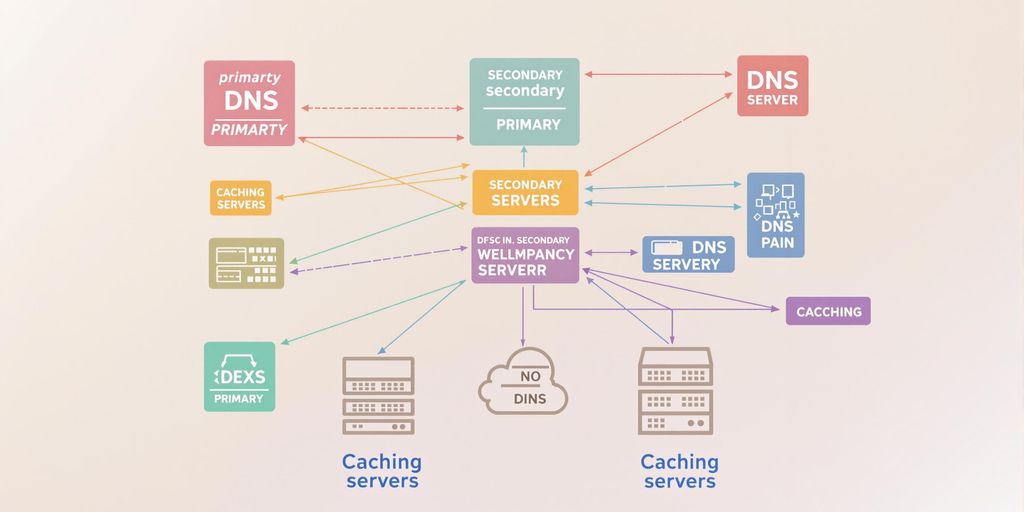
Think of recursive DNS servers as your internet’s personal assistant. When you type a domain name into your browser, the recursive server is the first to jump into action. It either knows the answer already from its cache or it goes hunting for it by asking other servers. This process saves time because cached data means fewer trips across the internet.Understanding Authoritative DNS Servers
Authoritative DNS servers are the know-it-alls of the DNS world. They hold the actual data about a domain, like its IP address and other records. When your query finally reaches one of these servers, it provides a definitive answer. This is where the real magic happens, connecting you to the exact website you’re looking for.The Role of Caching in DNS Servers
Caching is like your DNS server’s memory. It remembers previous queries for a set amount of time, which speeds up future lookups. For example, if you visit a site frequently, your DNS server might already have its details cached, so you get there faster. It’s efficient and keeps the internet running smoothly.Pro Tip: Efficient DNS caching not only speeds up browsing but also reduces overall internet traffic, making everyone’s experience better.
Common DNS Records and Their Purposes
A and AAAA Records: Mapping Domain Names to IPs
When you type a website’s name into your browser, likeexample.com, it’s the A record that tells your device where to go. A records map domain names to IPv4 addresses, while their counterpart, AAAA records, handle IPv6 addresses. Think of these as the home addresses of the internet. Most websites rely on these records to ensure you can find them. For instance, a site might use multiple A records to distribute traffic and avoid overload during busy times.MX Records for Email Routing
If you’ve ever sent an email, you’ve indirectly used an MX (Mail Exchange) record. These records tell email servers where to deliver your messages. For example, if you send an email toinfo@example.com, the MX record ensures it lands in the right inbox. These records often include priority levels, so if one server is down, another can step in to keep things running smoothly.| Priority | Mail Server |
|---|---|
| 10 | mail1.example.com |
| 20 | mail2.example.com |
CNAME and PTR Records Explained
CNAME (Canonical Name) records are like nicknames for websites. Let’s say you have a blog atblog.example.com but want it to point to example.com. A CNAME record makes that happen seamlessly. On the flip side, PTR (Pointer) records work in reverse—they map IP addresses back to domain names. These are particularly useful for verifying email servers and avoiding spam filters.DNS records might seem technical, but they’re working behind the scenes every time you browse, email, or stream. Without them, the internet wouldn’t function as smoothly as it does.By understanding these records, you can see how DNS plays a role in everything from Enterprise SaaS SEO to Enterprise SEO.
DNS Security and Potential Vulnerabilities
What Is DNS Cache Poisoning?
DNS cache poisoning is like tricking your GPS into taking you to the wrong place. Imagine entering an address into your GPS, but instead of getting to your destination, you end up somewhere sketchy. That’s what happens when attackers feed false information to DNS resolvers. They pretend to be the real source of information, and suddenly, users are being redirected to malicious websites. This can lead to stolen data, compromised accounts, or worse.Here’s a quick breakdown of how it works:- Attackers send fake DNS responses to caching servers.
- The server stores this incorrect data, thinking it’s legit.
- Users who rely on this server unknowingly visit harmful sites.
How DNSSEC Enhances Security
DNSSEC (Domain Name System Security Extensions) is like adding a lock to your front door. It ensures that the DNS responses you get are actually from the source you trust. By attaching a cryptographic signature to DNS records, DNSSEC helps verify that the data hasn’t been tampered with. While it doesn’t encrypt the data, it does make it much harder for attackers to slip in fake information.Why should you care? Because DNSSEC:- Protects against cache poisoning.
- Adds an extra layer of trust to your internet experience.
- Helps prevent man-in-the-middle attacks where hackers intercept your data.
Protecting Against Phishing and Spoofing
Phishing and spoofing attacks are all about deception. Attackers create fake websites or emails that look just like the real thing. For instance, they might replace “paypal.com” with “paypa1.com” and hope you don’t notice the subtle difference. Once you click, they’re ready to steal your info.Here’s how to stay safe:- Always double-check URLs for unusual characters.
- Use a browser with built-in phishing protection.
- Enable two-factor authentication wherever possible.
The internet can feel like a jungle sometimes, but with the right tools and awareness, you can navigate it safely. DNS security is your first line of defense—don’t ignore it!
The Evolution of DNS Over Time
From HOSTS.TXT to Modern DNS
Back in the 1970s, the internet was just getting started, and managing domain names was a manual process. Every hostname and its corresponding IP address were stored in a single file calledHOSTS.TXT. This file was maintained by Elizabeth Feinler at the Stanford Research Institute. If you wanted to add a new domain, you had to pick up the phone and call her—no kidding! But as the internet grew, this system became unmanageable. By 1983, the Domain Name System (DNS) was introduced to replace the centralized file with a distributed, scalable solution. This shift marked the beginning of modern internet navigation as we know it.Key Milestones in DNS Development
Over the years, DNS has evolved significantly to meet the demands of a growing, interconnected world. Here are some major milestones:- 1983: The DNS protocol was officially introduced, replacing the outdated HOSTS.TXT system.
- 1999: Extension Mechanisms for DNS (EDNS) were introduced, allowing for optional features without increasing overhead.
- 2005: DNS Security Extensions (DNSSEC) became standardized, addressing vulnerabilities like cache poisoning.
- 2018: DNS over HTTPS (DoH) gained traction, focusing on user privacy by encrypting DNS queries.
The Future of DNS and Emerging Trends
DNS isn’t done evolving—it’s adapting to modern challenges. Here’s what’s on the horizon:- Privacy Enhancements: Technologies like DNS over QUIC (DoQ) and Oblivious DNS aim to make your online activity even more private.
- Dynamic DNS Updates: These allow devices with changing IP addresses (like those on home networks) to stay connected seamlessly.
- Integration with AI and IoT: As smart devices and AI-powered systems become more common, DNS will play a key role in managing their connections.
DNS has come a long way from its humble beginnings, but its core mission remains the same: making the internet easier to navigate. And as technology advances, DNS will continue to evolve to meet new challenges.
Practical Applications of DNS
DNS in Content Delivery Networks (CDNs)
Ever wondered how websites load so fast, even when they’re packed with videos and images? That’s where DNS steps in with Content Delivery Networks (CDNs). CDNs use DNS to direct users to the server closest to them, cutting down on load times. It’s like having a friend nearby who hands you what you need instead of waiting for someone across the globe. This makes your online experience faster and smoother.Dynamic DNS for Changing IP Addresses
If your internet connection keeps changing its IP address, Dynamic DNS is your lifesaver. It updates DNS records automatically whenever your IP changes, so you don’t have to lift a finger. This is super handy for home servers, remote cameras, or any system that needs a consistent connection without the hassle.Using DNS for Spam Prevention
Spam emails are the worst, right? DNS helps fight them off by checking the sender’s domain against blocklists. If the domain looks shady, the email gets flagged or blocked. Think of it as a bouncer at a club, keeping the troublemakers out. It’s a small but mighty way DNS keeps your inbox clean.Wrapping It Up
So, that’s DNS in a nutshell! It’s like the internet’s address book, helping us find websites without memorizing a bunch of numbers. Whether you’re streaming a movie, shopping online, or just Googling something random, DNS is quietly working behind the scenes to make it all happen. Pretty neat, right? Next time you type in a web address, you’ll know there’s a whole system making sure you land in the right spot. Thanks for reading!Frequently Asked Questions
What is DNS?
DNS, or Domain Name System, is like the phonebook of the internet. It translates easy-to-remember website names (like example.com) into numerical addresses (IP addresses) that computers use to locate each other online.
Why is DNS important?
DNS makes using the internet simple and user-friendly. Without it, you’d have to memorize long strings of numbers (IP addresses) to visit websites, instead of just typing their names.
How does DNS work?
When you type a website name into your browser, DNS finds the matching IP address for that site. This allows your computer to connect to the correct server and load the webpage.
What are common DNS records?
Some common DNS records include A and AAAA records (linking domain names to IP addresses), MX records (used for email routing), and CNAME records (used to alias one domain name to another).
What is DNS cache poisoning?
DNS cache poisoning is a security risk where fake data is inserted into a DNS server’s cache. This can redirect users to malicious websites without their knowledge.
How can DNS security be improved?
DNSSEC (DNS Security Extensions) is one way to improve DNS security. It ensures that the DNS responses you receive are authentic and haven’t been tampered with.
For more information see: http://en.wikipedia.org/wiki/Domain_Name_System

