Glossary of Web Hosting Terms
An IP address is several numbers separated by dots (periods) and is how computers talk to each other. An IP address is like a street address in the real world and it’s the way a computer knows where to send the information when it needs to send information to another computer. IP addresses are limited in the number of combinations so they are adding extra numbers in the near future. Each website has an IP address and domain names are used because it is in a human language instead of trying to remember a lot of numbers.
Different countries are assigned different IP addresses. When you purchase a domain (website name), it will have a particular IP address. Your local internet provider also has a range of IP addresses and has assigned one of those to your account. You have internal IP addresses if you use a router.
An IP address is like the digital address your device uses to connect to the internet. It’s what helps computers, phones, and other gadgets talk to each other online. Without IP addresses, the internet as we know it wouldn’t work. They’re a big part of how websites load, emails get sent, and apps function.

Key Takeaways
- IP addresses are unique numbers assigned to devices for internet communication.
- They come in different types, like public, private, static, dynamic, IPv4, and IPv6.
- Internet Service Providers (ISPs) usually assign IP addresses, either automatically or manually.
- IP addresses are used for things like connecting to the internet, geolocation, and online security.
- Protecting your IP address with tools like VPNs can help maintain your privacy.
What Is an IP Address?
Understanding the Basics of IP Addresses
An IP address, short for Internet Protocol address, is like the digital home address of your device. It’s a unique set of numbers assigned to every device connected to the internet, helping them communicate with each other. Without it, your computer, phone, or tablet wouldn’t know where to send or receive information. Think of it as a phone number for your device—each one is unique and necessary for connection.Why IP Addresses Are Important
IP addresses are the backbone of the internet’s communication system. They:- Enable devices to find and connect with each other.
- Help websites know where to send the information you request.
- Play a key role in tracking online activity for troubleshooting or security purposes.
How IP Addresses Work
Here’s a quick breakdown of how IP addresses operate:- When you open a website, your device sends a request to the site’s server using its IP address.
- The server processes your request and sends the data back to your device’s IP address.
- This back-and-forth exchange happens in milliseconds, making it seamless for you.
Simple, right? But behind the scenes, it’s a complex system that ensures the internet runs smoothly every second of the day.For example, there are two main types of IP addresses in use today: IPv4 and IPv6. While IPv4 is the older format, IPv6 was introduced to handle the growing number of devices needing unique addresses.
Types of IP Addresses
Public vs. Private IP Addresses
When you connect to the internet, your device is assigned an IP address. But not all IPs are the same. Public IP addresses are the ones visible to the outside world, like your home’s address on the internet. These are assigned by your Internet Service Provider (ISP) and are unique globally. On the other hand, private IP addresses are used within your home or business network. These are like behind-the-scenes addresses that allow devices like your laptop, phone, and smart TV to communicate without being exposed to the wider internet.Static vs. Dynamic IP Addresses
Static IP addresses stay fixed. They don’t change unless you manually update them, making them ideal for things like hosting a server or using remote access. Dynamic IP addresses, however, are assigned temporarily and can change over time. Most ISPs give out dynamic IPs because they’re more efficient for general use. Think of static as a permanent phone number, while dynamic is like borrowing a friend’s for a day.IPv4 and IPv6: What’s the Difference?
The internet runs on two main types of IPs: IPv4 and IPv6. IPv4 is the older system, using a 32-bit format like “192.168.1.1.” It’s been around for decades but is running out of unique combinations. That’s where IPv6 comes in. With a 128-bit format, it can handle a nearly unlimited number of devices. The switch to IPv6 is ongoing, so you might encounter both types depending on your network setup.Understanding these different types of IP addresses helps you see how the internet keeps everything connected—whether it’s your phone, your smart thermostat, or even your gaming console.
How IP Addresses Are Assigned
Role of Internet Service Providers (ISPs)
When you connect to the internet, your Internet Service Provider (ISP) is the one handing out IP addresses. Think of it like getting a ticket to access the web. Your ISP is responsible for assigning you a unique IP address so your devices can communicate with websites, apps, and other online services. Without this, your connection simply wouldn’t work. ISPs manage pools of IP addresses and assign them dynamically or provide static ones, depending on your plan.Dynamic Host Configuration Protocol (DHCP)
Most IP addresses are assigned automatically using something called the Dynamic Host Configuration Protocol, or DHCP. This system ensures that devices joining a network get an IP address without any manual setup. It’s like an automatic seating chart for a classroom—no one has to decide where to sit because it’s done for them. DHCP makes connecting new devices quick and hassle-free, which is why it’s used in most home and business networks.Manual IP Address Assignment
While DHCP is convenient, there are times when a manual setup is necessary. For example, servers, printers, or other devices that need a consistent address might have their IPs set manually. This process involves entering the IP address, subnet mask, gateway, and DNS details into the device’s settings. It takes a bit more effort, but it ensures those devices are always reachable at the same address.Uses of IP Addresses in Everyday Life
Connecting Devices to the Internet
Every device you use to get online—your phone, tablet, or even your smart fridge—needs an IP address to connect to the internet. Think of it as a digital address that tells the internet where to send stuff, like emails or streaming videos. Without an IP address, your device would be lost in cyberspace, unable to communicate with websites or other devices. It’s the backbone of how we stay connected.Enabling Online Communication
Ever sent an email or joined a video call? That’s your IP address at work! It makes sure the data you send reaches the right person and that their response gets back to you. Whether you’re chatting with friends or attending virtual meetings, IP addresses quietly handle the logistics behind the scenes. It’s like the unsung hero of modern communication.Tracking and Geolocation
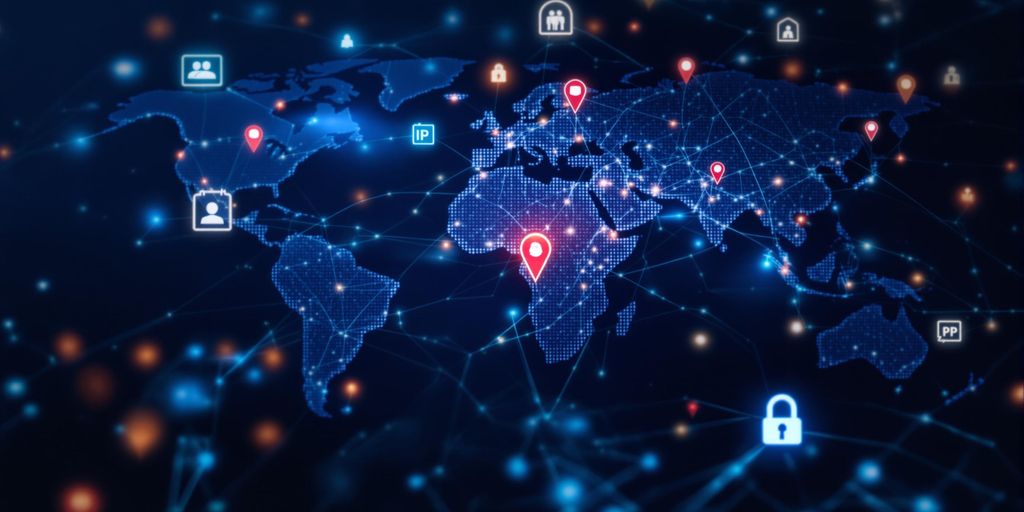
IP addresses can reveal your general location, which is why websites sometimes know what city you’re in without asking. This is super handy for services like weather apps or local news. On the flip side, it’s also why some ads seem to know where you are. If privacy’s a concern, tools like VPNs can help mask your IP address to keep your location private.Protecting Your IP Address
Why You Should Protect Your IP Address
Your IP address is like your home address—but for the internet. It tells websites and services where to send data, but it also reveals your general location and can be exploited by hackers. Keeping it private is key to avoiding unwanted risks. Reasons to protect your IP address:- Prevent hackers from targeting your device.
- Avoid unwanted tracking or monitoring of your online activity.
- Reduce the risk of identity theft or fraud.
Think of your IP address as a digital fingerprint. Leaving it exposed is like handing out personal details to strangers on the street.
Using VPNs for Privacy
A Virtual Private Network (VPN) is one of the easiest ways to protect your IP address. When you use a VPN, your real IP address is hidden, and the VPN assigns you a new one. This makes it harder for anyone to track your online activity. Benefits of using a VPN:- Masks your real IP address.
- Encrypts your internet connection for added security.
- Lets you browse anonymously and access restricted content.
Avoiding IP Address Spoofing
IP spoofing is when someone fakes your IP address to impersonate you online. This can lead to serious issues, like unauthorized access to your accounts or devices. How to avoid IP spoofing:- Use strong passwords and two-factor authentication.
- Regularly update your devices and software.
- Consider setting up SSL certification for your website to block malicious activity.
Troubleshooting IP Address Issues
Common IP Address Problems
Sometimes, dealing with IP addresses can feel like trying to untangle a bunch of wires. Here are some common hiccups you might run into:- IP Conflict: This happens when two devices on the same network accidentally share the same IP address. It’s like two people showing up to a party wearing the same outfit—awkward and confusing for the network.
- No Internet Connection: Often caused by an incorrect IP configuration or a network issue.
- Limited Connectivity: Your device connects to the network but can’t access the internet. This could be due to an issue with your router or ISP.
How to Reset Your IP Address
If you’re having trouble, resetting your IP address can often do the trick. Here’s how to do it:- Open your device’s network settings.
- Find the option to release and renew your IP address. This is usually under “Advanced Settings” or “Network Troubleshooting.”
- Restart your router if the problem persists. Sometimes, the router just needs a little kickstart.
Pro Tip: Restarting your router can solve a surprising number of issues. It’s like turning your computer off and on again—it just works.
When to Contact Your ISP
If you’ve tried all the quick fixes and nothing’s working, it might be time to reach out to your Internet Service Provider (ISP). They can help with:- Checking if there’s an outage in your area.
- Assisting with persistent IP conflicts or connectivity issues.
- Reassigning a new IP address if needed.
The Future of IP Addresses
The Transition to IPv6
You’ve probably heard about IPv6, but what’s the big deal? Well, IPv4, the older system, is running out of room. It only supports about 4.3 billion unique addresses, and with the explosion of connected devices, that just doesn’t cut it anymore. IPv6 is the solution, offering a mind-boggling 340 undecillion addresses. That’s enough to give every device on the planet its own unique address—many times over. This shift isn’t just about quantity; it’s also about improving efficiency and security.Challenges in IP Address Management
Switching to IPv6 isn’t as easy as flipping a switch. There are hurdles, like compatibility issues with older systems and the cost of upgrading infrastructure. Businesses and ISPs need to carefully plan how they’ll manage this transition. Plus, there’s the human factor—training people to understand and use IPv6 effectively. It’s a work in progress, but the industry is making steady strides.Innovations in Networking
The future isn’t just about IPv6; it’s about smarter networks. Think automation and AI stepping in to manage IP addresses more efficiently. Imagine systems that can predict network congestion and adjust in real-time. Innovations like these are already on the horizon, promising faster, more reliable internet for everyone. Who wouldn’t want that?Wrapping It Up
So, that’s the gist of what an IP address is. It’s like the digital address that helps devices find each other on the internet. Whether you’re streaming your favorite show, sending an email, or just browsing, IP addresses are quietly doing their thing in the background. It’s one of those things you don’t really think about, but it’s super important. Hopefully, this gave you a better idea of how it all works. Thanks for reading!Frequently Asked Questions
What is an IP address?
An IP address is like a digital address for devices connected to the internet. It helps them find and communicate with each other.
How many types of IP addresses are there?
There are several types, including public, private, static, dynamic, IPv4, and IPv6 addresses.
Why is an IP address important?
It’s important because it helps devices communicate and share information over the internet.
Can my IP address reveal my location?
Yes, your IP address can show your general location, like your city or region, but not your exact address.
What’s the difference between IPv4 and IPv6?
IPv4 uses a 32-bit system, while IPv6 uses a 128-bit system, allowing for more unique addresses.
How can I protect my IP address?
You can use tools like VPNs to keep your IP address private and secure from hackers or trackers.
For more information on IP addresses, see: http://en.wikipedia.org/wiki/IP_address.