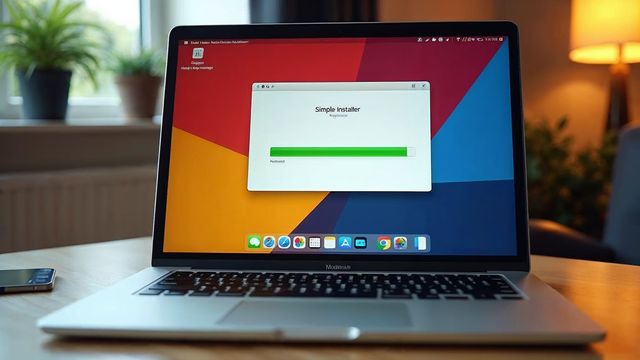

A fresh WordPress install takes about 2 minutes, even if you know nothing about web design or web hosting. Our installer runs in about 30 seconds. You only need a domain name and a hosting account.
What you need before you start
Before you start, you need a domain name and a hosting account. The domain is your address, like yourbusiness.com. The hosting is the place where your site lives.
Every one of our hosting plans includes two website installers, Installatron and QuickInstall. They put your WordPress hosting site online in seconds.
Our WordPress hosting costs $149 a year. It includes free SSL, daily backups, security monitoring and 99.999% uptime. A domain plus CMS hosting bundle is $173.99, which is $24.99 for the domain and $149 for hosting.
Install WordPress in about 2 minutes
These steps work for a beginner. You do not need to touch databases or files.
Open your control panel
Log in to your hosting account and open the control panel.
Start the installer
Open the Websnoogie Installer, then choose WordPress.
Fill in the form
Enter your username, password, email and the title of your site.
Click Install
In about 30 seconds your website is installed. The install includes WordPress and the current default theme.
Open your new site
The installer lets you view the website or go to the admin panel. You do not need to return to the installer to reach the admin panel.
Log in to wp-admin
Go to YOURDOMAIN/wp-admin, replacing YOURDOMAIN with your own domain, and log in.
What to do after the install
Your site is online but empty. Add text and graphics by adding a page or a post.
Start with a Home page, an About page and a Contact page. Then pick a theme under Appearance > Themes.
Write down your username and password in a safe place. A strong password protects your site.
Is a fresh install safe for a beginner
Yes. The installer sets up the files and the database for you, so you cannot break anything by clicking the wrong box.
If you make a typing mistake in the site title or email, you can change it later under Settings > General.
The installer also keeps WordPress ready for updates. Log in now and then and click Update when the dashboard asks.
If something goes wrong
The most common problem is a domain that does not point to your hosting yet. Domain changes can take a few hours to reach every visitor. Wait and try again.
Another common problem is a forgotten password. Use the Lost your password link on the login page to reset it by email.
If you would rather not do any of this, we build a WordPress website with up to 5 pages plus a contact page for $300. Builds take 3 to 5 days.
If you want a hand with your WordPress site, call Websnoogie in Omaha at 402-813-4034 or use our contact form.
Common questions
How long does a fresh WordPress install take?
About 2 minutes in total. The installer itself runs in about 30 seconds.
Do I need to know web design to install WordPress?
No. You fill in a short form in the installer and click Install. You do not touch databases or files.
What do I need before I install WordPress?
You need a domain name and a hosting account. Our hosting plans include the installer.

AboutRod and Tami Atwood
Rod and Tami Atwood and other Websnoogie contributors write the Websnoogie blog. Rod has built websites since 2004 and founded Websnoogie, LLC in Omaha in 2012. Tami is co-owner, content editor and billing expert. Call us at 402-813-4034 or write to staff@websnoogie.com.